If you intend to compete in the enterprise SaaS arena, effective reporting functionality is the price of entry. With the market continuing to mature, larger businesses increasingly expect any SaaS application they implement to include a full set of user-facing SaaS reporting capabilities. These tools let enterprises see the value your app delivers and justify their investment in it.
Enterprises need more than your core technology
Your core technology is the biggest factor in your SaaS product’s success, but it can’t stand alone. To appeal to enterprise customers, you also need generic, baseline SaaS capabilities that let businesses integrate and use your app with minimal friction.
In a BetterCloud survey of more than 1,800 people across IT roles and organizations, respondents ranked reporting and analytics as one of their top priorities when purchasing SaaS applications. Enterprises value SaaS reporting mainly because it shows them how well the software is performing, whether it delivers what it promises, and whether it is worth the cost.
Enterprise applications must be transparent and show clear value, so give customers the tools to look under the hood and see your app’s worth.
Churn is a major challenge for SaaS companies, with customers churning through an average of 30% of their apps each year. If stakeholders can easily prove your product is effective, retention improves, and the product can spread more widely across the organization.
Key features of enterprise reports
Different user groups, such as developers, finance staff, and sales teams, have different reporting needs. The more groups your app targets, the more reporting features you need. Still, there are key capabilities you should always provide:
Ongoing insight with minimal user effort
One of the simplest ways users get data from their SaaS applications is a regularly scheduled report, typically delivered by email. Let customers set a schedule, choose a format, and define the metrics they want to see.
After setting these parameters once, the user should receive automatically generated reports on that schedule with no further effort. Make sure your reports are cross-platform compatible and display correctly in different email clients.

Let users get hands-on with interactive dashboards
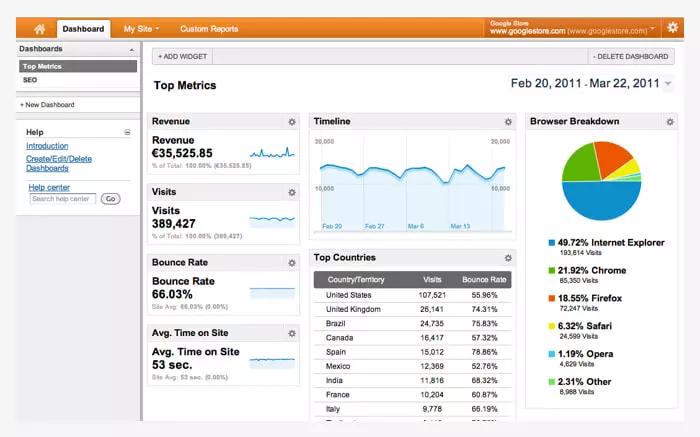
For customers who want more detail, provide interactive, personalized dashboards for self-service reporting. The dashboard should let users generate their own reports on the fly and drill down into the SaaS reporting metrics that matter to them. This customization helps meet the needs of a diverse user base and is a key feature of enterprise-ready SaaS products.

You can also offer dynamic data stories that deliver insights to each user based on their role. According to Gartner, usage of interactive dashboards in the enterprise is declining in favor of these “new augmented and NLP-driven user experiences”.
Keep reports relevant and secure
While we wouldn’t write off dashboards just yet, not all the data and functionality you offer will be relevant to all users within an enterprise. By providing user management capabilities, you can give your customers control over which employees can see which data points, who can access the dashboards, and who can view reports. This keeps users from being overwhelmed by tools that don’t apply to them and can help enterprises keep sensitive data secure.
Complete export freedom
Users have different preferences for report format, so support as many as possible. Make sure customers can export their SaaS reports to Excel, PDF, Word, JPEG, etc. Also consider advanced exporting options, such as choosing which data fields to export.
Drive business decision-making with real-time insights
The older the information in your reports, the less useful it is for data-driven business decisions. Enterprises operate in constantly changing conditions, so informed decisions require real-time data. When building SaaS reporting, let customers generate live reports from the most recent data possible.
The first step to enterprise-readiness
These guidelines should help you build reporting that meets the needs of large businesses. However, reporting is only one element of an enterprise-ready SaaS product.
You will also need to integrate a range of other capabilities to support your core technology, such as webhooks, SSO, and audit logging. At Frontegg, we specialize in building these baseline SaaS components. Head over to our product pages or stay tuned for future blog posts to learn more.
Put this into practice with Frontegg
Frontegg is customer identity and access management (CIAM) for B2B SaaS. It's free up to 7,500 monthly active users, including 5 SSO/SCIM connections.
Start for free