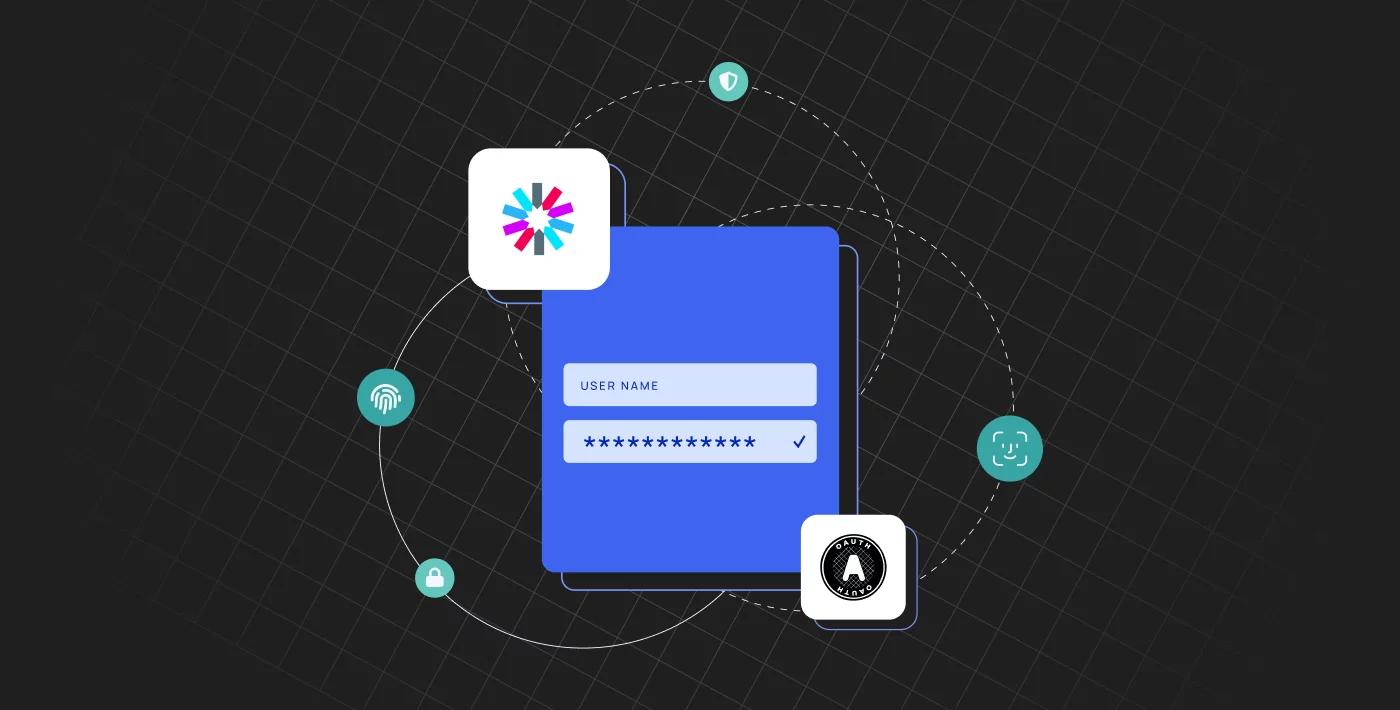
OAuth and JWT aren't alternatives. They solve different problems and usually work together. OAuth 2.0 is an authorization framework: a set of flows that let an application get limited access to an API on a user's behalf, without seeing the user's password. A JSON Web Token (JWT) is a token format: a compact way to carry claims that can be signed, encrypted, or both. Many OAuth deployments issue JWT access tokens; others use opaque tokens.
So the question isn't "OAuth or JWT?" It's "which OAuth flow do I need, and should my tokens be JWTs or opaque tokens?"
OAuth vs JWT at a glance
| OAuth 2.0 | JWT | |
|---|---|---|
| What it is | Authorization framework (roles, flows, rules) | Token format (claims, usually signed) |
| Defined in | RFC 6749 | RFC 7519 |
| Main job | Delegated access: an app gets a scoped token to call an API | Carry verifiable claims (who the user is, what they can do, when the token expires) |
| Authentication? | Not by itself. OpenID Connect adds login on top of OAuth | Used for the ID token in OpenID Connect, and for access tokens |
| How tokens are checked | Depends on token type: opaque tokens need a server-side lookup, usually introspection (RFC 7662); JWTs are validated locally | Validated locally with the issuer's key (signature, exp, iss, aud) |
| Revocation | Easier with opaque tokens: the server marks them inactive and the next lookup sees it | Not possible with signature checks alone before expiry: use short lifetimes, refresh tokens, or a deny list |
| Typical use | Sign in with Google, third-party API access, SSO, machine-to-machine access | Access tokens and ID tokens in OAuth/OIDC, service-to-service calls |
What is OAuth?
OAuth 2.0 is an open standard, defined in RFC 6749, for delegated authorization. Instead of giving an app your password, you approve a limited set of permissions (scopes), and an authorization server issues the app an access token. The app then presents that token to an API (the resource server).
OAuth defines several flows for different clients. The main ones today are authorization code with PKCE (web, mobile and single-page apps) and client credentials (machine-to-machine). The older implicit and password flows are deprecated in current best practice (RFC 9700). OAuth 2.1, still an IETF draft, consolidates these practices.
OAuth doesn't say what the access token looks like. It can be an opaque random string or a JWT.
What is a JWT?
A JSON Web Token, defined in RFC 7519, is a compact token with three parts: a header, a payload of claims, and a signature. The signature lets any service holding the right key confirm that the token came from the expected issuer and wasn't modified. Signing doesn't encrypt the payload, so anyone holding the token can read the claims. Keep sensitive data out of them.
Common claims include sub (the user), iss (the issuer), aud (the intended API), exp (expiry) and custom claims such as roles, permissions or tenant ID.
Key differences between OAuth and JWT
- Protocol vs format. OAuth defines how a client obtains and uses a token. JWT defines what a token can look like.
- Authorization vs claims. OAuth decides who gets access to what. A JWT carries the claims that a resource server uses to make that decision.
- Validation. With JWT access tokens, an API validates each request locally by checking the signature and standard claims. With opaque tokens, the API can't read the token, so it looks it up with the authorization server, usually through token introspection (RFC 7662).
- Revocation. Opaque tokens are easier to revoke centrally, because the API checks their status on lookup (unless it caches results). A JWT validated only by its signature stays valid until it expires unless you add a deny list, so JWT access tokens are usually short-lived and paired with refresh tokens.
- Scope of use. JWTs also appear outside OAuth, for example in signed links or service-to-service calls. OAuth can work without JWTs at all.
How OAuth and JWT work together
Many identity providers issue JWTs inside OAuth and OpenID Connect flows:
- The user signs in through the authorization server, for example with the authorization code flow and PKCE.
- The server returns an access token (often a JWT, following the RFC 9068 profile) and, with OpenID Connect, an ID token (always a JWT) that describes the signed-in user.
- The client sends the access token to your API in the
Authorization: Bearerheader. - Your API validates the JWT's signature,
iss,audandexp, then checks its scopes, roles or permissions before returning data.
The ID token is for the client application, which uses it to know who signed in. The access token is for the API. Don't use an ID token to call an API.
JWT vs opaque tokens
Within OAuth, the real choice is the access token format:
- Choose JWT access tokens when many services need to validate tokens quickly without calling the auth server, and short token lifetimes are acceptable.
- Choose opaque tokens when you need instant revocation, want to keep token contents private from clients, or have a single API that can afford an introspection call.
Many systems combine them: short-lived JWT access tokens, plus refresh tokens that the server can revoke.
Pros and cons
OAuth
- Pros: a widely supported standard with mature libraries; users never share passwords with third-party apps; scopes limit what each app can do; supports SSO and machine-to-machine access.
- Cons: several flows and options to choose from; misconfigured redirect URIs or skipped PKCE create real vulnerabilities; can be more than a simple single-backend app needs.
JWT
- Pros: self-contained, so APIs can validate without a database or network call; carries the claims your authorization logic needs; works across services and languages.
- Cons: hard to revoke before expiry; payload is readable, so it must not hold secrets; a leaked signing key lets attackers mint valid tokens; easy to validate incorrectly (for example trusting the algorithm named in the token, accepting
alg: none, or skipping theaudcheck; see RFC 8725).
When to use which
- Letting users sign in or connect a third-party app: use OAuth with OpenID Connect. The ID token is always a JWT; the access token may be a JWT or opaque.
- Protecting an API used by your own front end: use OAuth's authorization code flow with PKCE, and validate access tokens in the API: locally if they're JWTs, through introspection if they're opaque.
- Service-to-service calls: use the OAuth client credentials flow. JWT access tokens let each service validate calls independently.
- A single app with one backend and no third parties: a server-side session may be simpler than either. Choose OAuth/JWT when you need APIs, multiple apps or SSO.
Related content: Read our guide to OAuth flows and JWT authorization.
Using OAuth and JWT with Frontegg
Frontegg's hosted login is built on OpenID Connect and supports the authorization code flow with PKCE, so your app gets standard OAuth/OIDC tokens without building the flows yourself.
- JWT access tokens: Frontegg issues JWTs that include the user, tenant, roles and permissions. They're signed with RS256 by default, and you can validate them in any backend with your environment's JWKS endpoint or public key from the Frontegg portal, or with Frontegg's middleware.
- Token templates: choose which claims each token carries, set different expiration times, pick RS256 or HS256, and apply templates by user, tenant or application.
- Machine-to-machine access: client credentials and API access tokens for users and tenants, plus token exchange (on-behalf-of) so a service or AI agent can call your APIs as a signed-in user.
This is part of Frontegg's authentication and user management platform for B2B SaaS. See the docs on validating Frontegg JWTs and token management.
Put this into practice with Frontegg
Frontegg is customer identity and access management (CIAM) for B2B SaaS. It's free up to 7,500 monthly active users, including 5 SSO/SCIM connections.
Start for freeThe Complete Guide to SaaS Multi-Tenant Architecture
Read the guide